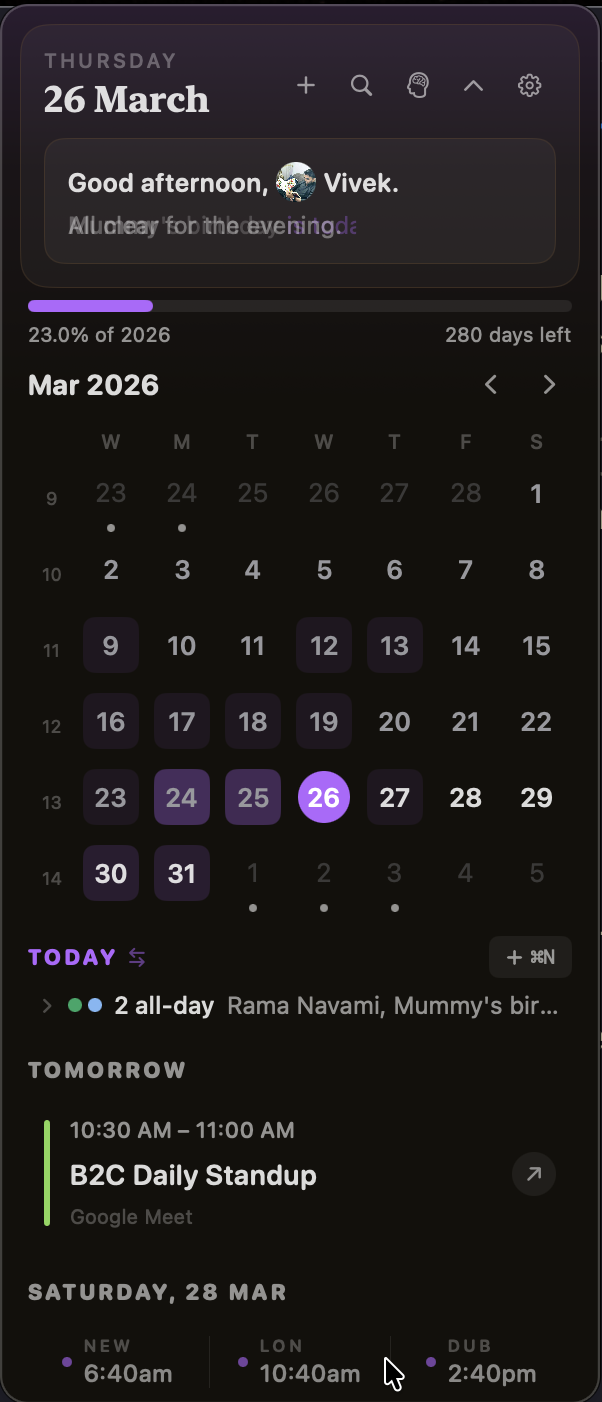
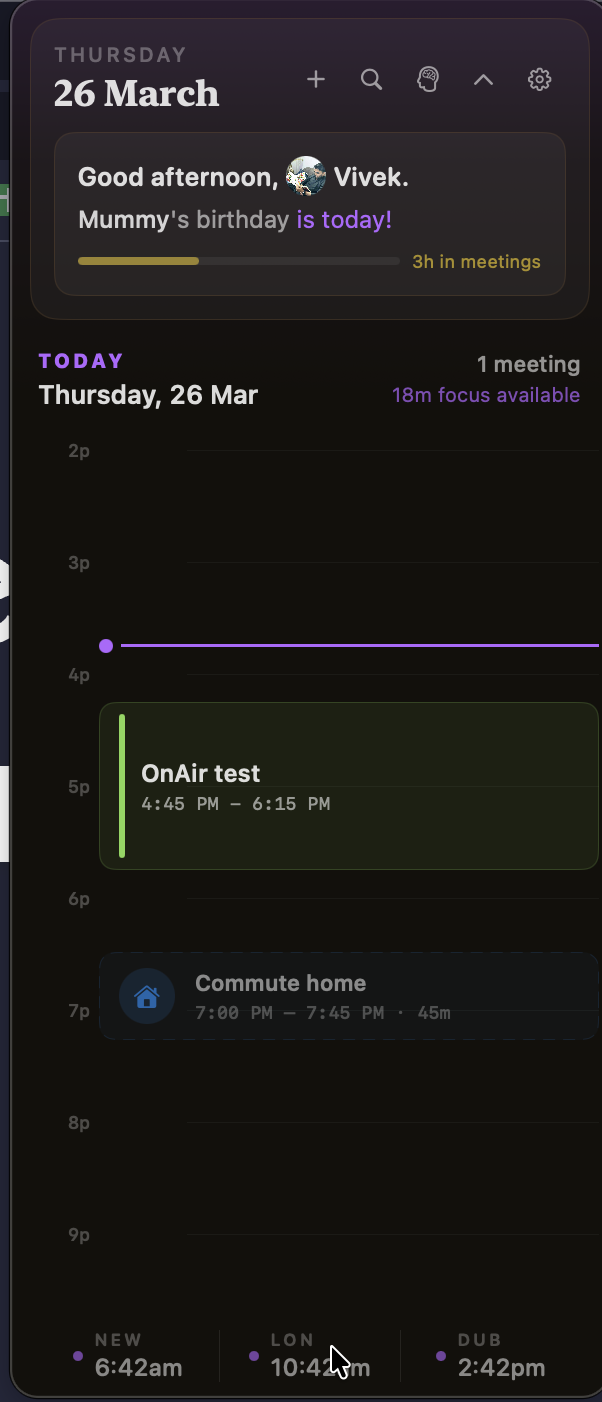
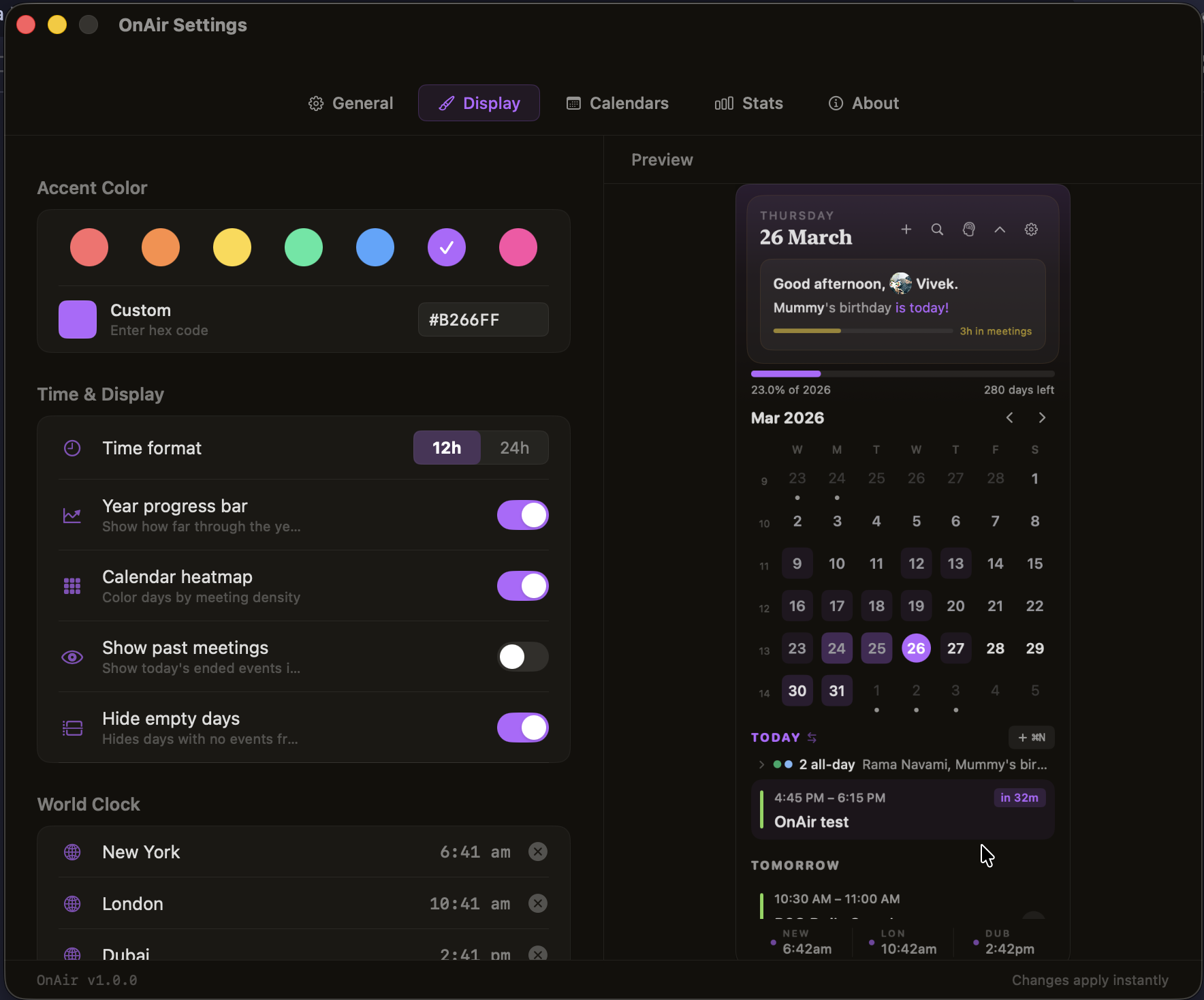
A menu bar companion that keeps you ahead of your calendar. Focus timer, auto-join, conflict alerts, and smart nudges — one click from the top of your screen.
One line in your terminal. It handles everything.
It asks for calendar permission on first launch. That is the only setup.
Your next meeting shows up in the menu bar. Click when you need more.
12 features. Zero bloat. Everything in 300 pixels.
Calendar-aware pomodoro. Sees your next meeting in 47 minutes, suggests a 40-minute deep work block. Tracks focus stats.
Detects Zoom, Meet, and Teams links. A green "Join" button appears 5 minutes before. One click.
Overlapping meetings get flagged. The menu bar shows both when they're about to collide.
Color-coded meter (green to red) shows your load. Smart nudges for back-to-back meetings and prep time.
Weekly wellness chart, focus vs meeting time, busiest days, platform breakdown, recurring meeting analysis.
Configurable notice before your meeting ends. Skips automatically for back-to-back meetings.
Days colored by meeting density. See your busiest weeks at a glance, like a contribution graph.
Coral, Tangerine, Mint, Electric, Violet, Fuchsia — or any hex. Every element follows your color.
3-step welcome with animated "on air" dot. Grants calendar access gracefully. You're set in 10 seconds.
Detects holidays adjacent to weekends and highlights the extended break in your calendar grid.
Dawn, morning, afternoon, evening, night. The UI subtly shifts its palette to match the sky.
J to join. T for timeline. Cmd+N for events. Cmd+F to search. Built for shortcut thinkers.
One line. That is it.